No-Reference Quality Models
Assess video quality using ITU-T P.1204.3 and our own NR bitstream models. No reference content needed — works on encoded files, from on-demand assets to recordings of live channels.
Go deep into video quality with bitstream-level analysis, no-reference metrics, and ITU-standardized models.
For content providers, broadcasters, system integrators, and anyone who needs to understand video quality at the encoding and transcoding level. Analyze encoded video without reference content using ITU-T P.1204.3 and our own no-reference bitstream models.

The Challenge
Bitrate and resolution numbers don't tell you about compression artifacts, encoding errors, or transcoding quality loss. Full-reference models like VMAF require the original content — impractical for monitoring live streams or third-party content. You need quality assessment that works on the encoded stream itself.
Our Approach
Our video analysis tools inspect the encoded bitstream directly — analyzing codec parameters, frame structures, and compression characteristics to predict perceptual quality without needing the original reference content. Based on ITU-T P.1204.3 and our own NR models, this approach needs much less CPU than pixel-domain analysis and scales to large content catalogs.
Key Capabilities
Assess video quality using ITU-T P.1204.3 and our own NR bitstream models. No reference content needed — works on encoded files, from on-demand assets to recordings of live channels.
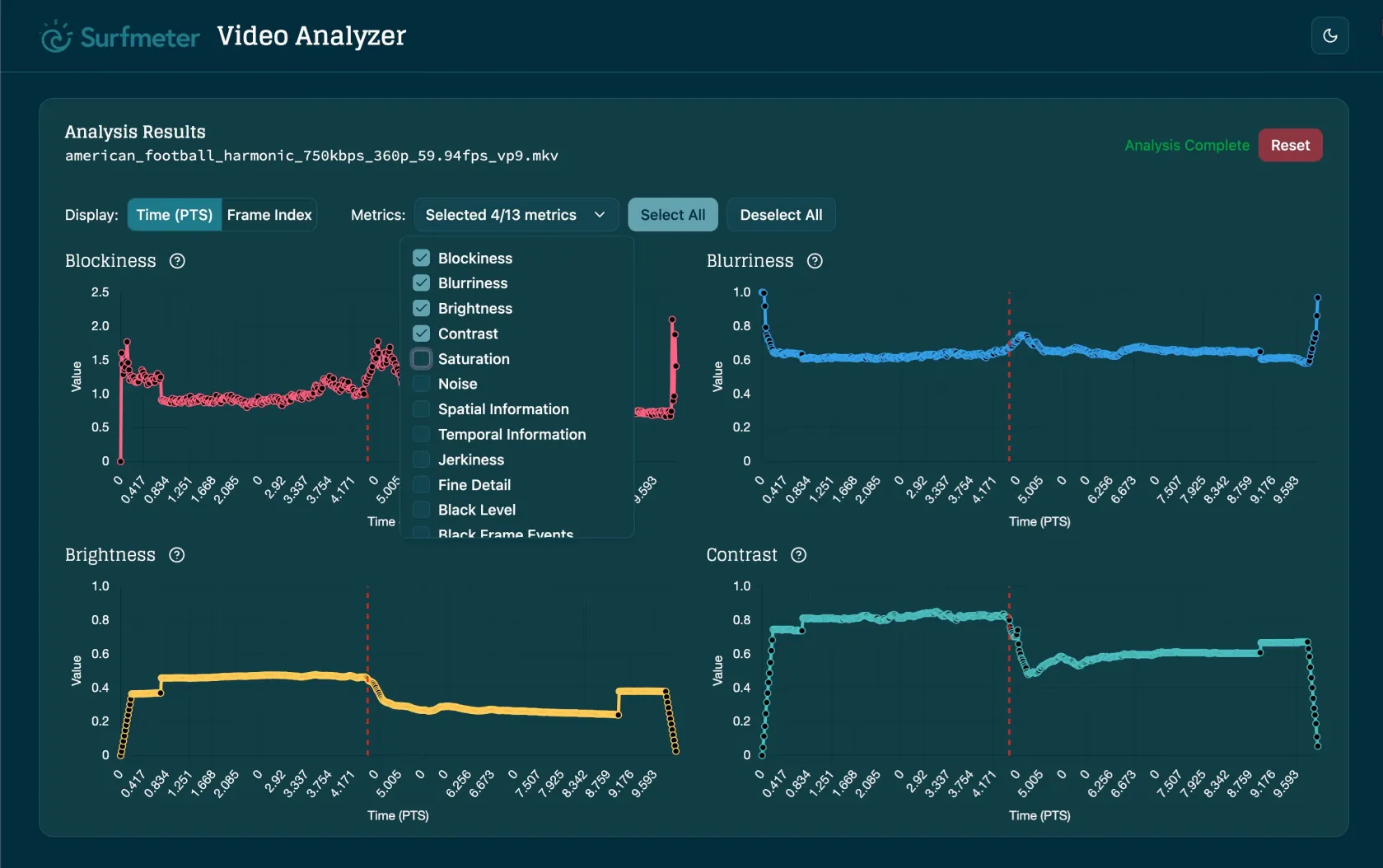
Analyze MPEG-1/2, H.264, H.265/HEVC, VP9, and AV1 at the bitstream level, with quality scores for MPEG-2, H.264, H.265, and VP9. Detect encoding anomalies, quality drops, and transcoding errors.
Bitstream-based analysis is lightweight. Analyze large content catalogs without the CPU cost of pixel-domain decoding.
Integrate into your encoding, transcoding, or delivery pipeline to catch quality issues before they reach viewers.
Product
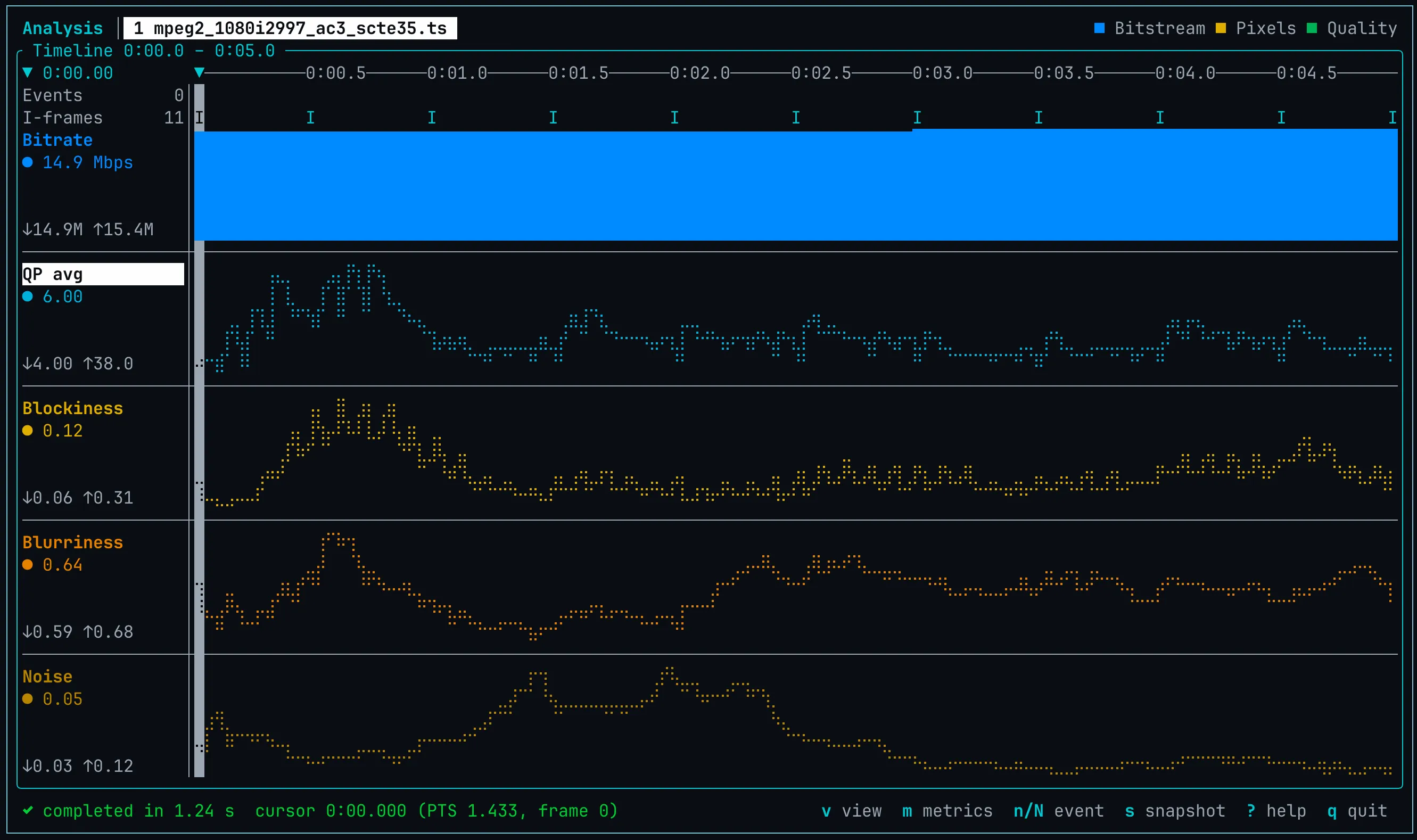
Run this analysis on your own files. One command-line tool gives you bitstream statistics, pixel metrics, ITU-T P.1204.3 scores, and VMAF, PSNR and SSIM against a reference, with a terminal UI to explore the results. Available for Linux, macOS, Windows and Docker.
Proven in Practice


WDR, one of Germany’s largest public broadcasters, uses Surfmeter to monitor the delivery quality of their streaming services from the viewer’s perspective. Beyond continuous CDN performance monitoring, WDR uses Surfmeter to validate new player versions, compare stream configurations, and verify that encoding changes deliver the expected quality improvements before rolling them out to millions of viewers.
Results
Get a personalized demo and see how Surfmeter fits your use case. It only takes 30 minutes.
Business Benefits
How It Works
Our tools analyze the encoded video bitstream without reconstructing the pixels of each frame, enabling fast and scalable quality assessment.
Feed encoded video files into the analysis pipeline: MPEG-TS, MP4/MOV, Matroska/WebM, AVI, or raw elementary streams. Live HLS and DASH input is on our roadmap.
The analyzer inspects codec parameters, frame structures, quantization parameters, and compression characteristics at the bitstream level.
ITU-T P.1204.3 and our own NR models compute perceptual quality scores that correlate highly with human ratings — without needing reference content.
Quality scores and detailed analysis data are written as JSON and CSV for integration into your QA dashboard, encoding pipeline, or monitoring system.
Data & KPIs
No. Our no-reference models, ITU-T P.1204.3 and our own bitstream models, predict perceptual quality from the encoded file itself, for example from recordings of live channels or from on-demand assets.
Quality scores are available for H.264, H.265/HEVC, and VP9 with ITU-T P.1204.3, and for MPEG-2 with our own model. Bitstream statistics also cover AV1 and MPEG-1, and pixel and full-reference metrics work for any codec FFmpeg can decode. You can analyze MPEG-TS, MP4/MOV, Matroska/WebM, AVI, or raw elementary stream files. Live HLS and DASH input is on our roadmap.
P.1204 is the ITU standard family for short-term video quality prediction. It rates the perceptual quality of video segments of about 5 to 10 seconds. It includes no-reference models based on metadata (P.1204.1), the bitstream (P.1204.3), or bitstream and pixels (P.1204.5), and a reduced- or full-reference pixel model (P.1204.4).
Bitstream analysis does not reconstruct the pixels of each frame. It needs much less CPU than pixel-domain analysis and scales to large content catalogs.
Yes. A command-line tool gives you bitstream statistics, pixel metrics, ITU-T P.1204.3 scores, and VMAF, PSNR, and SSIM against a reference. It runs on Linux, macOS, Windows, and Docker.
Discuss how in-depth video quality analysis fits your encoding or monitoring workflow.
Thank you! We'll get back to you shortly.
Something went wrong. Please try again.