Video QoE Testing
Automated playback tests against real OTT services with ITU-T P.1203 MOS scoring. Measures loading delay, stalling, bitrate adaptation, and resolution quality.
CLI-based automation for scheduled QoE and QoS measurements.
Deploy lightweight probes on Linux machines, Docker containers, or VMs to continuously measure video streaming quality, web performance, and network health. Automate everything from a single configuration file.
Product Overview
The Surfmeter Automator is a headless, CLI-driven measurement engine. It runs scheduled test sequences against real OTT streaming services, websites, and network endpoints — producing standardized quality metrics without any manual intervention. Ideal for always-on probing infrastructure.

Key Features
Automated playback tests against real OTT services with ITU-T P.1203 MOS scoring. Measures loading delay, stalling, bitrate adaptation, and resolution quality.
Chromium-based page load measurements capturing Core Web Vitals: Largest Contentful Paint, First Contentful Paint, Time to First Byte, and more.
Download/upload speed measurements, latency, jitter, packet loss, and traceroute diagnostics for end-to-end network path analysis.
Configure test sequences, intervals, and service targets via a single configuration file. Run continuously or on-demand.

Most videos watched today are shorts, and nobody watches just one. The Automator swipes through YouTube Shorts and TikTok feeds the way a viewer does and treats every video as its own measurement. You get initial loading delay, resolution, bitrate, and P.1203 MOS per video. By default a test covers 5 videos with 8 seconds of viewing each, and both values are configurable.
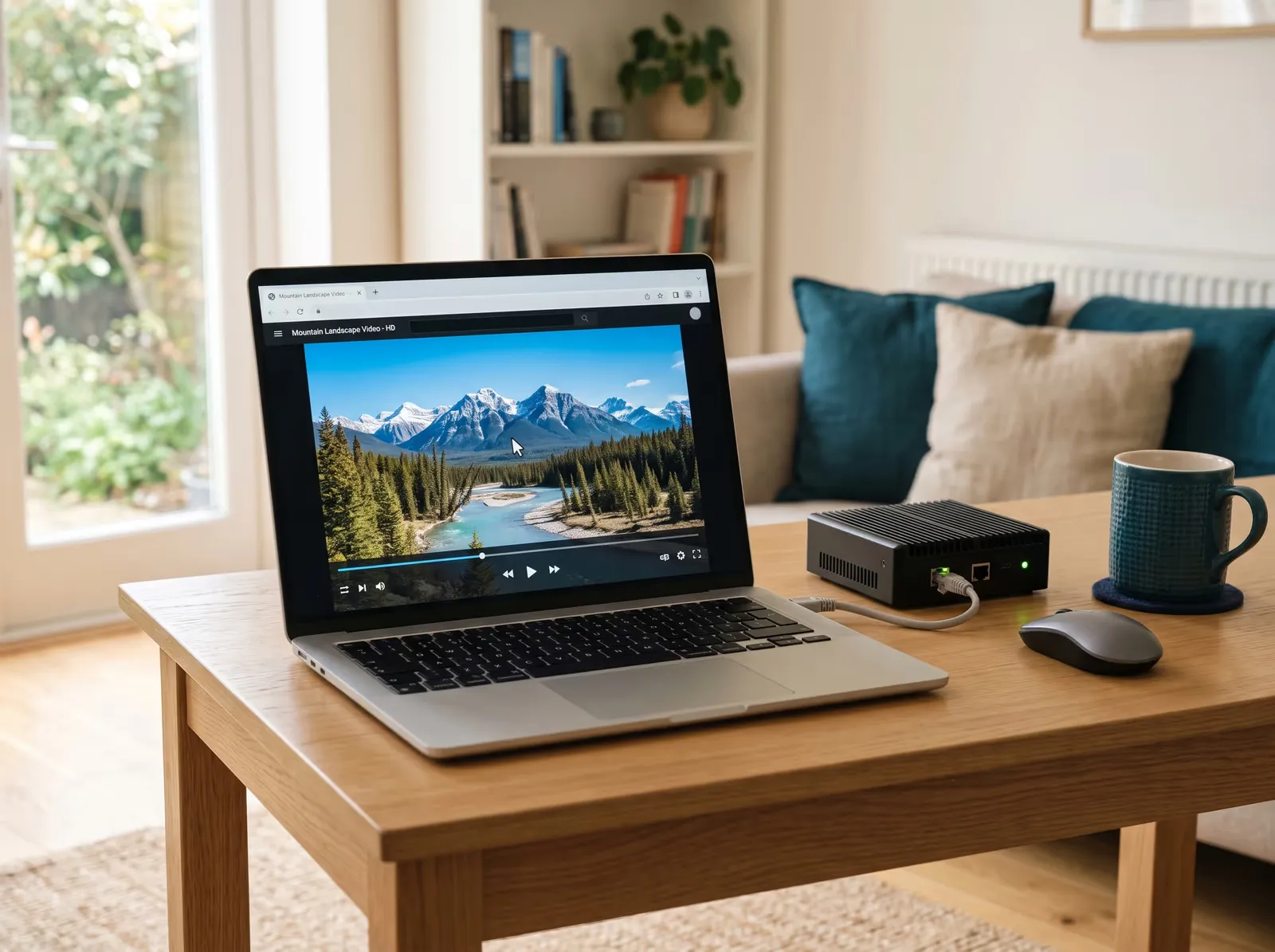
The Automator drives a real browser. It opens the service, starts playback, and watches the stream the way a person at home would. What it measures is what your customers see on their screens.
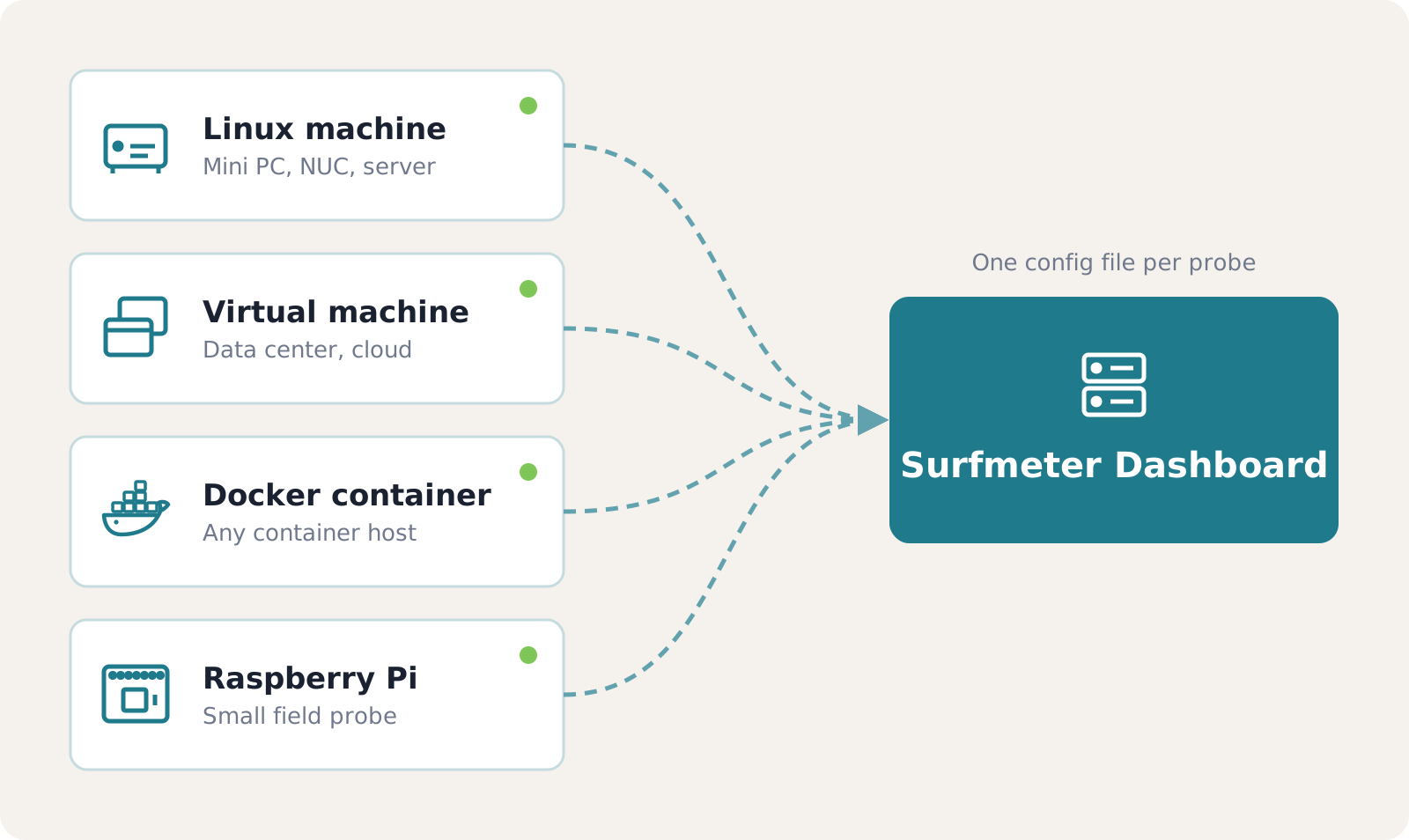
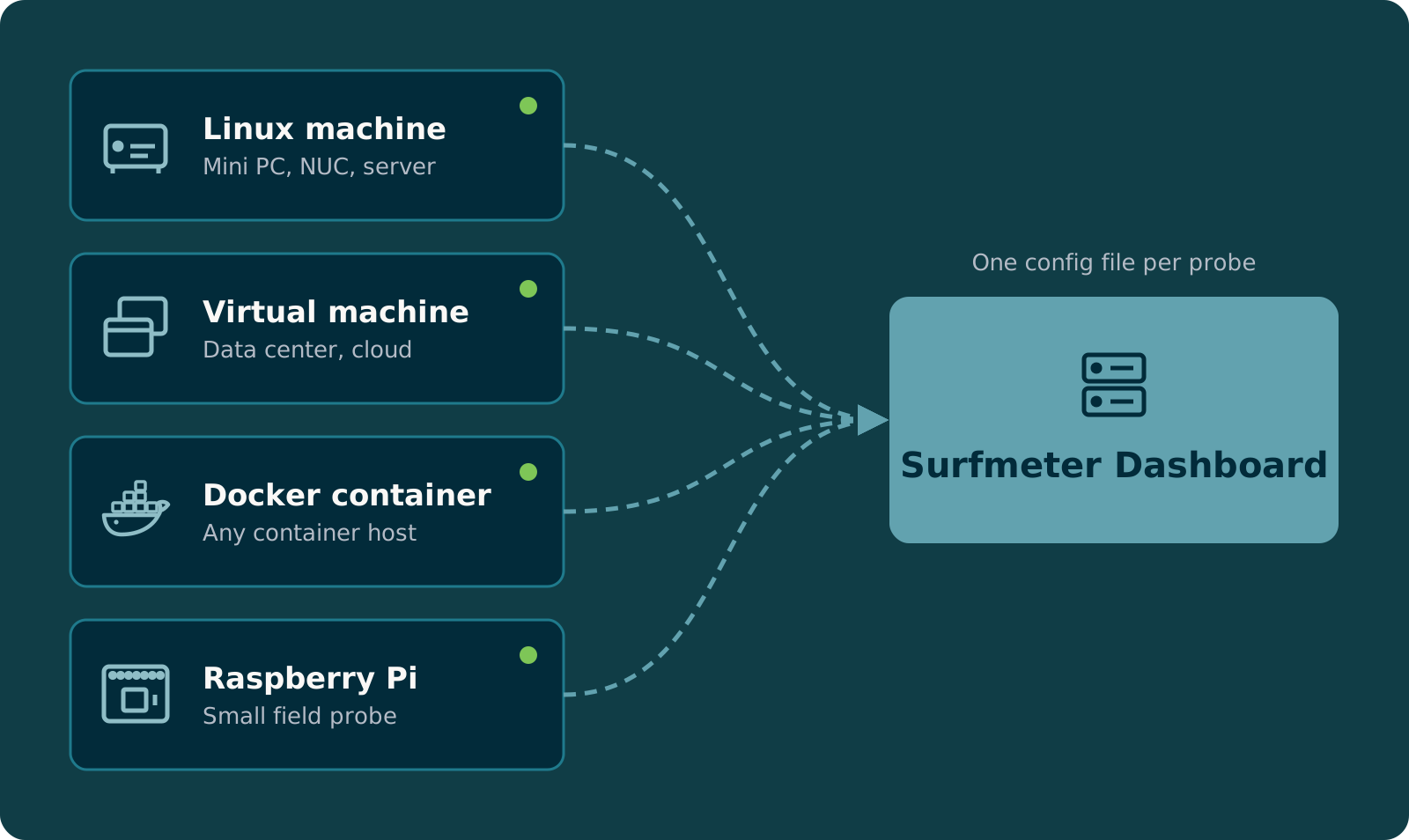
Install the Automator on a small physical probe, a virtual machine, or a server in your data center, or run it as a Docker container. Debian and Ubuntu based systems and Raspberry Pi are supported. One configuration file defines what each probe tests and when.
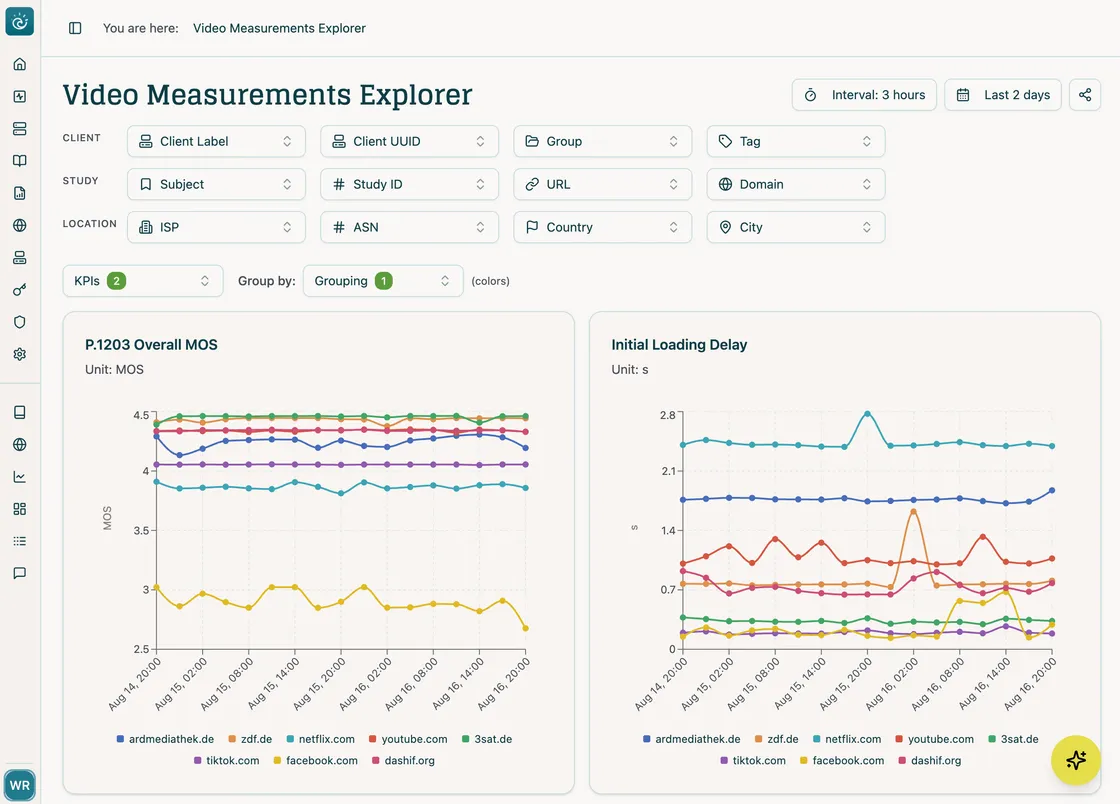
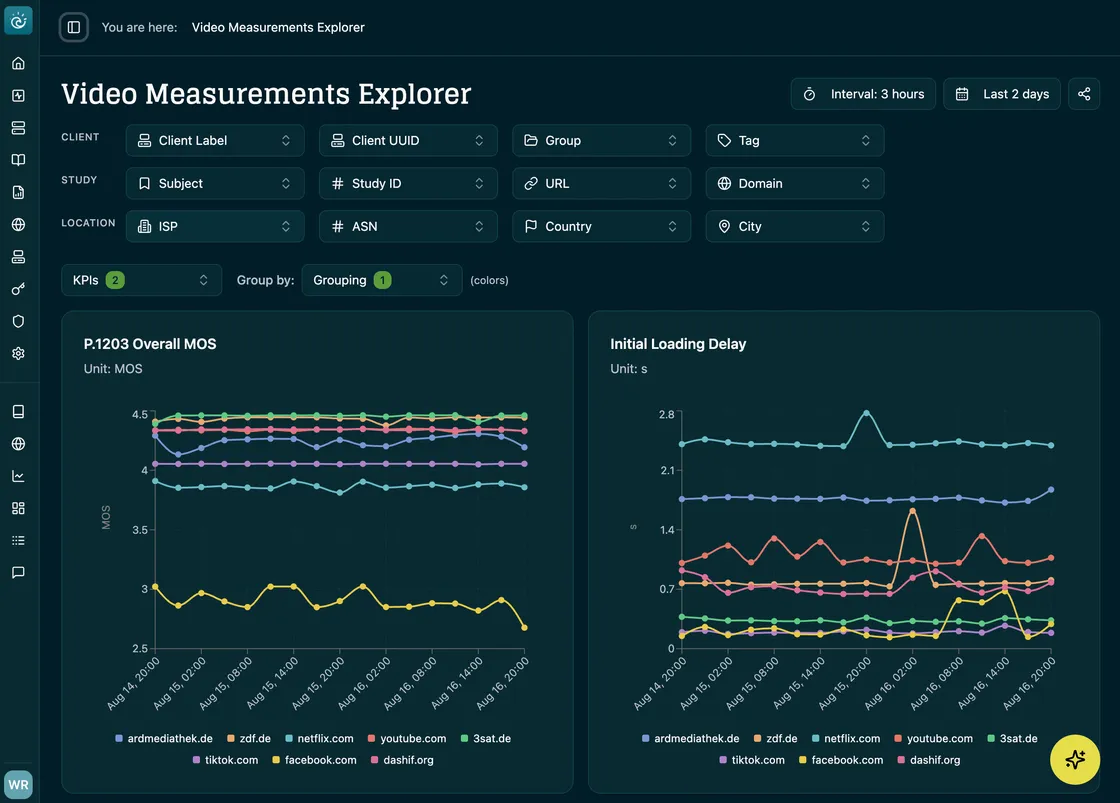
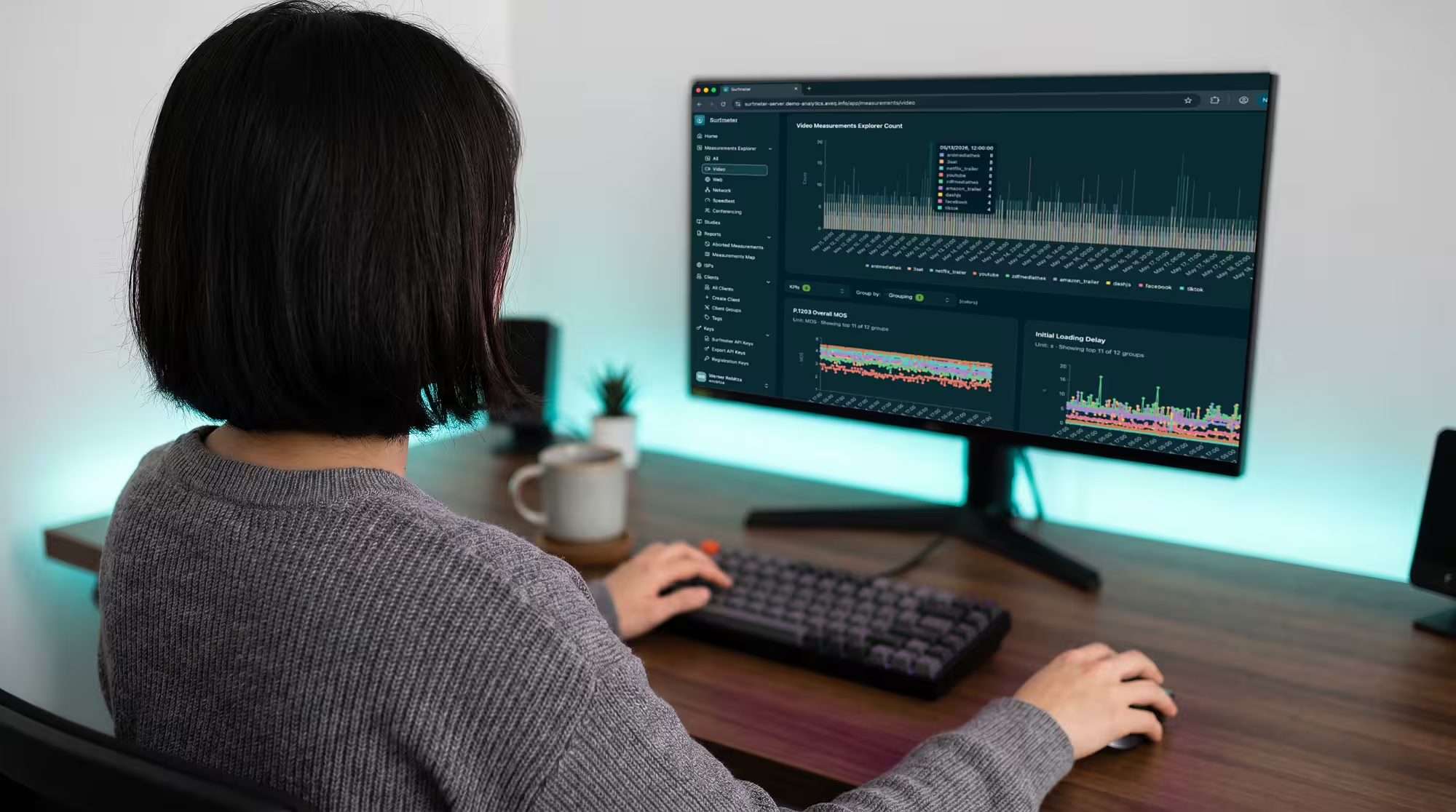
Every measurement lands in the Surfmeter Dashboard. Compare probes, services, and locations over time, see color-graded KPIs at a glance, and open any single session to see its full playback timeline.
Explore the Surfmeter Dashboard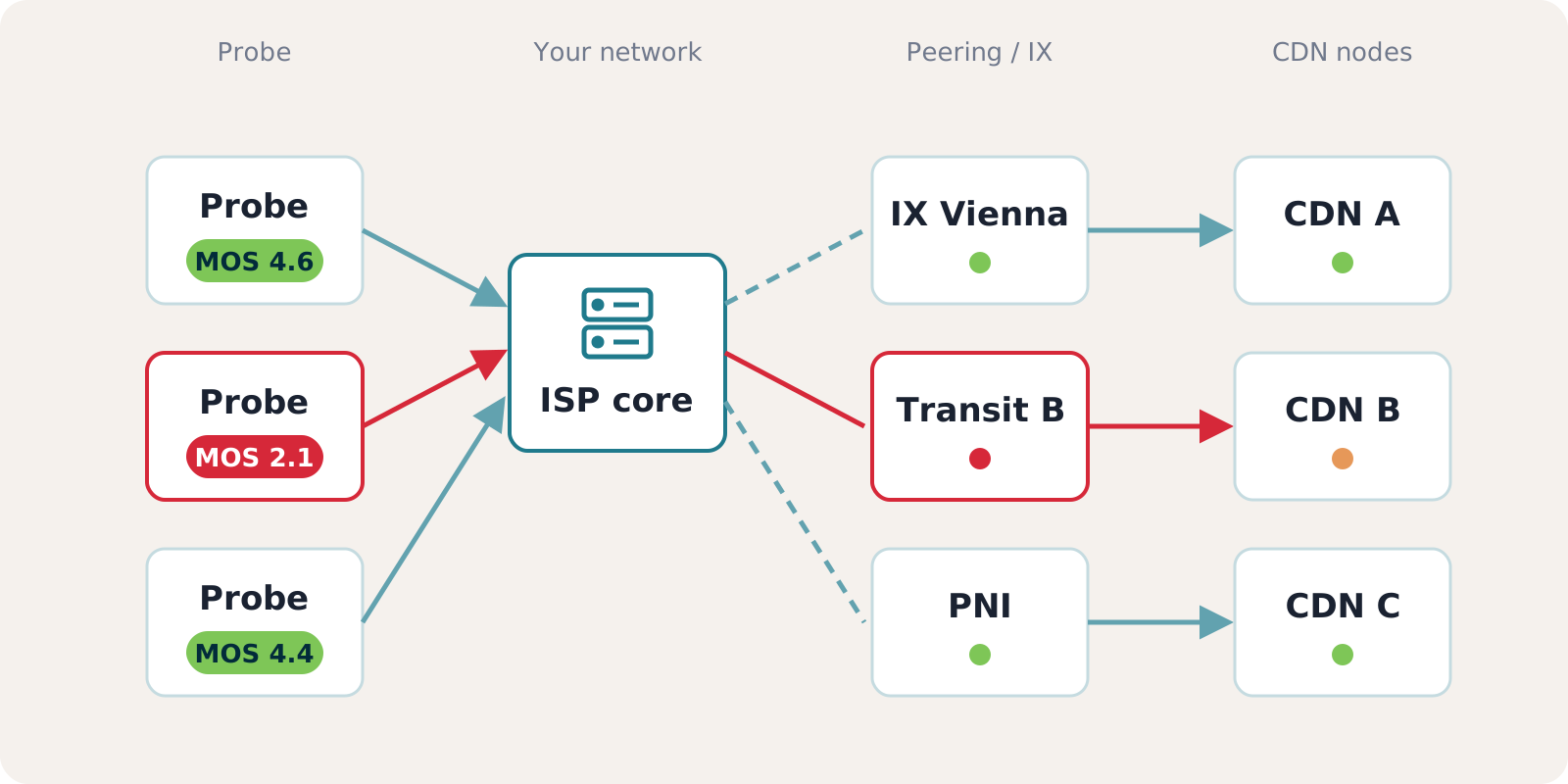
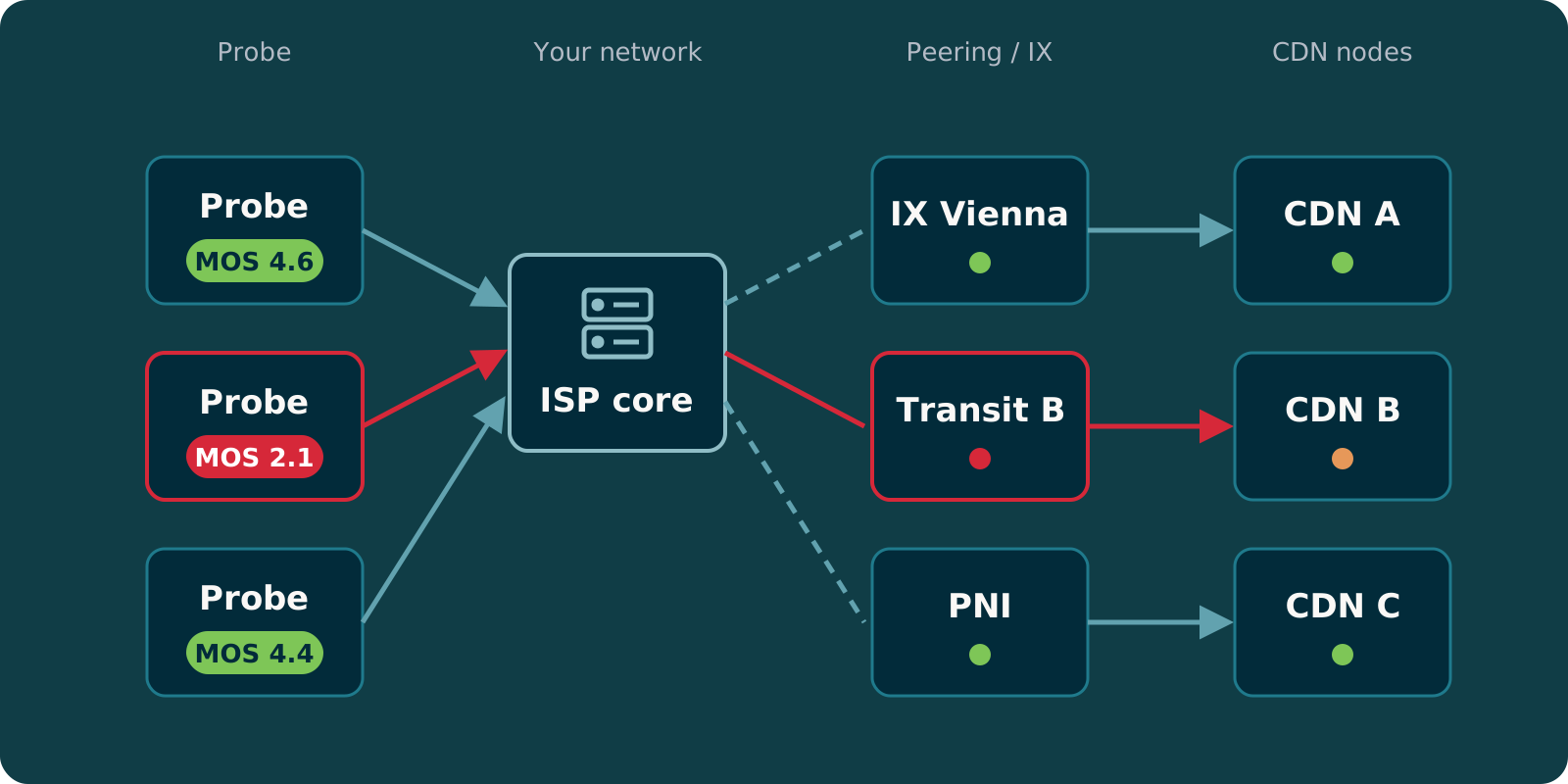
Video results come together with network data such as traceroute, latency, jitter, and DNS. When a QoE score drops, you can see whether the cause is your own network, a CDN, or a degraded peering link.
Learn about CDN performance analysis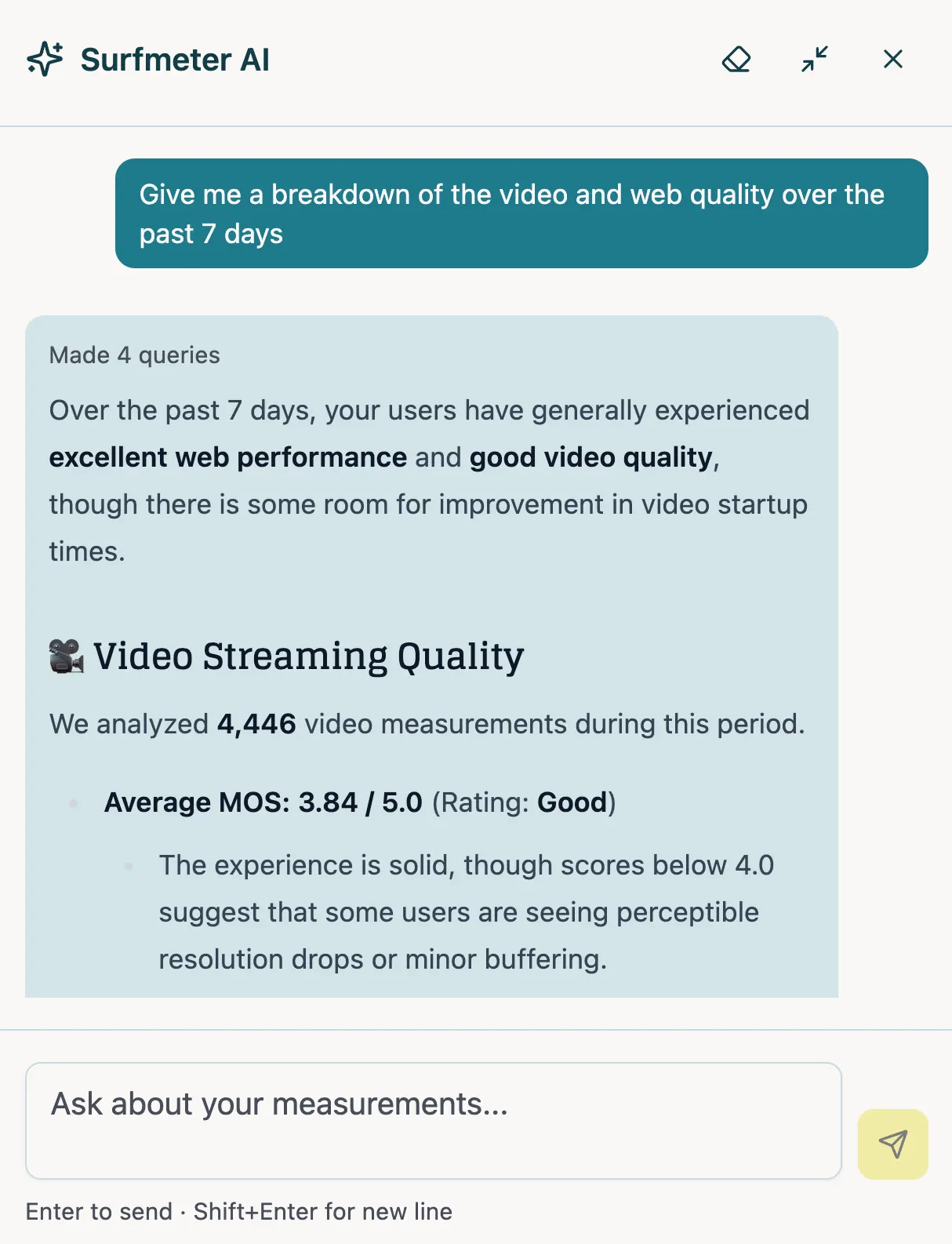
The AI assistant in the dashboard queries your measurements, explains individual results, and surfaces trends. It works with your current filters and time range, so you get from a question to an answer without building a report first.
Get a personalized demo and see how Surfmeter fits your use case.
How It Works
The Automator runs on any Linux-based system — physical probes, VMs, or Docker containers. No GUI required.
Install the Surfmeter Automator on your target hardware or VM. Supports Debian/Ubuntu-based systems, Docker, and Raspberry Pi.
Define which services to test (Netflix, YouTube, websites, speed endpoints), set schedules, and specify test parameters in the configuration file.
The Automator executes test sequences on schedule — launching browsers, playing video streams, running speed tests — all headless and automated.
Measurement data flows to the Surfmeter analytics platform. View dashboards, set alerts, compare locations, and export raw data.
Data & KPIs
Use Cases
Proven in Practice
“We are delighted to have AVEQ, a renowned expert in the field of video streaming analyses, on our team.”


zafaco and AVEQ collaborate to establish new standards for measuring and optimising video streaming quality for broadband providers in the DACH region. Surfmeter’s QoE algorithms enable standardised quality ratings for international services like YouTube, Netflix, and TikTok, as well as national broadcasters and media libraries — based on ITU-T standards and the latest research. Together, they analyse IPTV streaming quality of leading broadband providers across Germany, Austria, and Switzerland in a complex test setup covering realistic end-user scenarios.
Results
“We're using Surfmeter to gain unprecedented visibility into our network performance through automated, active measurements that simulate actual streaming video quality, exactly as end-users experience it”


Gcore, operating a global CDN with 210 points of presence across six continents, needed deeper insights into the interactions between streaming applications and their edge network. Traditional server-side monitoring couldn’t capture what end-users actually experience. With Surfmeter, Gcore gained real-world QoE visibility by measuring actual video streams from the same platforms and players that end-users rely on.
Results


Creanord, a Finnish provider of network quality monitoring solutions, wanted to extend their probe-based platform with video streaming QoE metrics. By integrating Surfmeter Automator as a measurement component, they added ITU-standardized video MOS testing to their existing network monitoring infrastructure.
Results
See how the Surfmeter Automator fits into your measurement infrastructure. Get in touch for a demo.
Thank you! We'll get back to you shortly.
Something went wrong. Please try again.