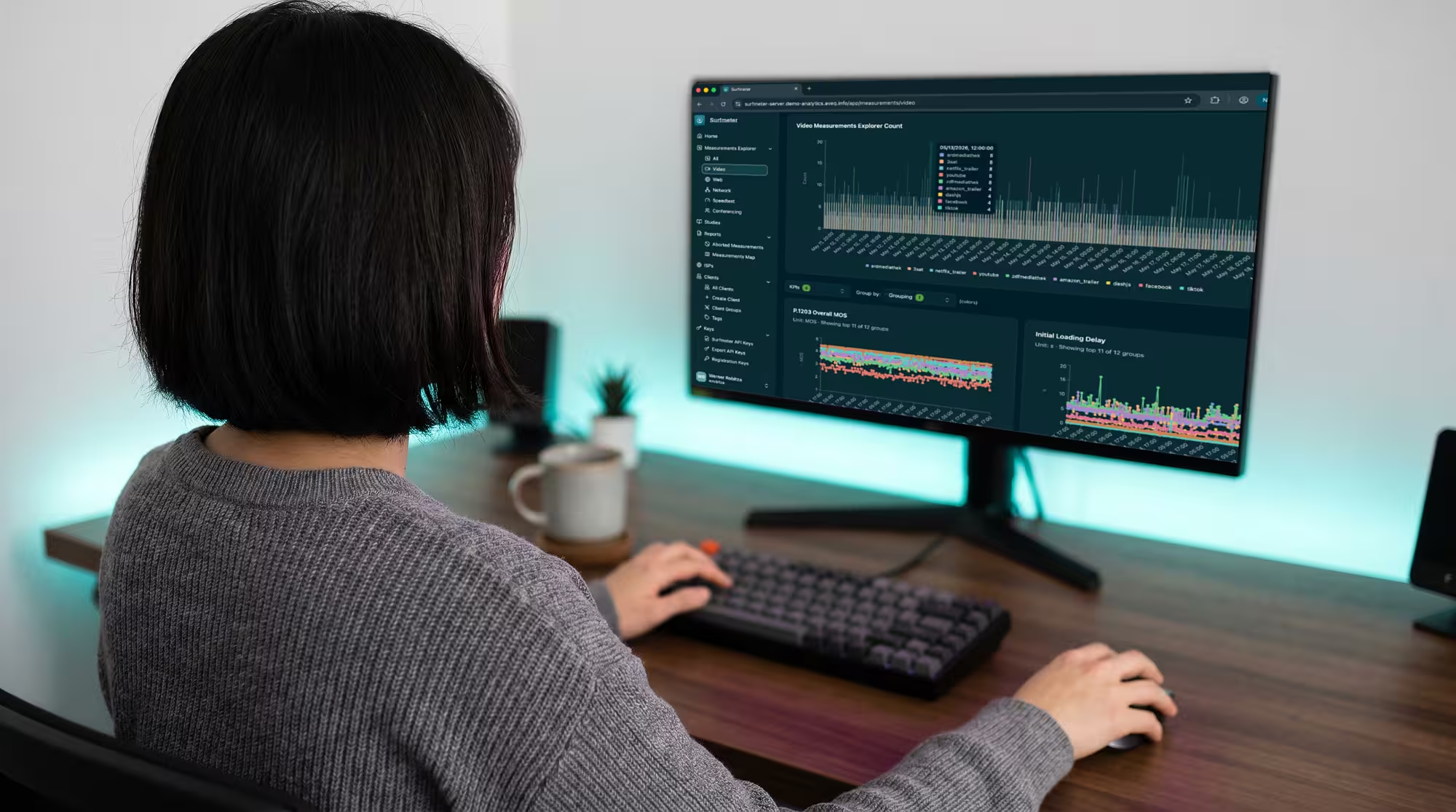
Multi-Platform Support
Available as an Android AAR, iOS XCFramework, and npm package for web. One consistent measurement approach across all platforms.
In-app video quality measurement for any player, any platform.
Add real-time video quality monitoring to your existing player integration. The Player SDK collects playback telemetry — loading delay, stalling, bitrate, resolution — and computes ITU-T P.1203 MOS scores in the background, with zero impact on the viewing experience.
Product Overview
The Surfmeter Player SDK integrates directly with your video player — on Android, iOS, or web. It observes playback events passively, collecting quality-relevant metrics without intercepting the video stream or affecting performance. Data is transmitted in the background and available instantly on the Surfmeter analytics platform.

Award-winning solution
The Player SDK builds on the same award-winning Surfmeter platform — bringing proven QoS/QoE expertise directly into your apps for trusted viewer-experience measurement.
Key Features
Available as an Android AAR, iOS XCFramework, and npm package for web. One consistent measurement approach across all platforms.
Works with ExoPlayer, AVPlayer, Video.js, THEOplayer, Shaka Player, Brightcove, HTML5 Video, and Chromecast receivers.
Collects playback metrics passively in the background. No stalling overhead, no UI changes, no impact on the viewer experience.
Computes standardized Mean Opinion Scores for every viewing session, predicting how users would rate the quality they experienced.
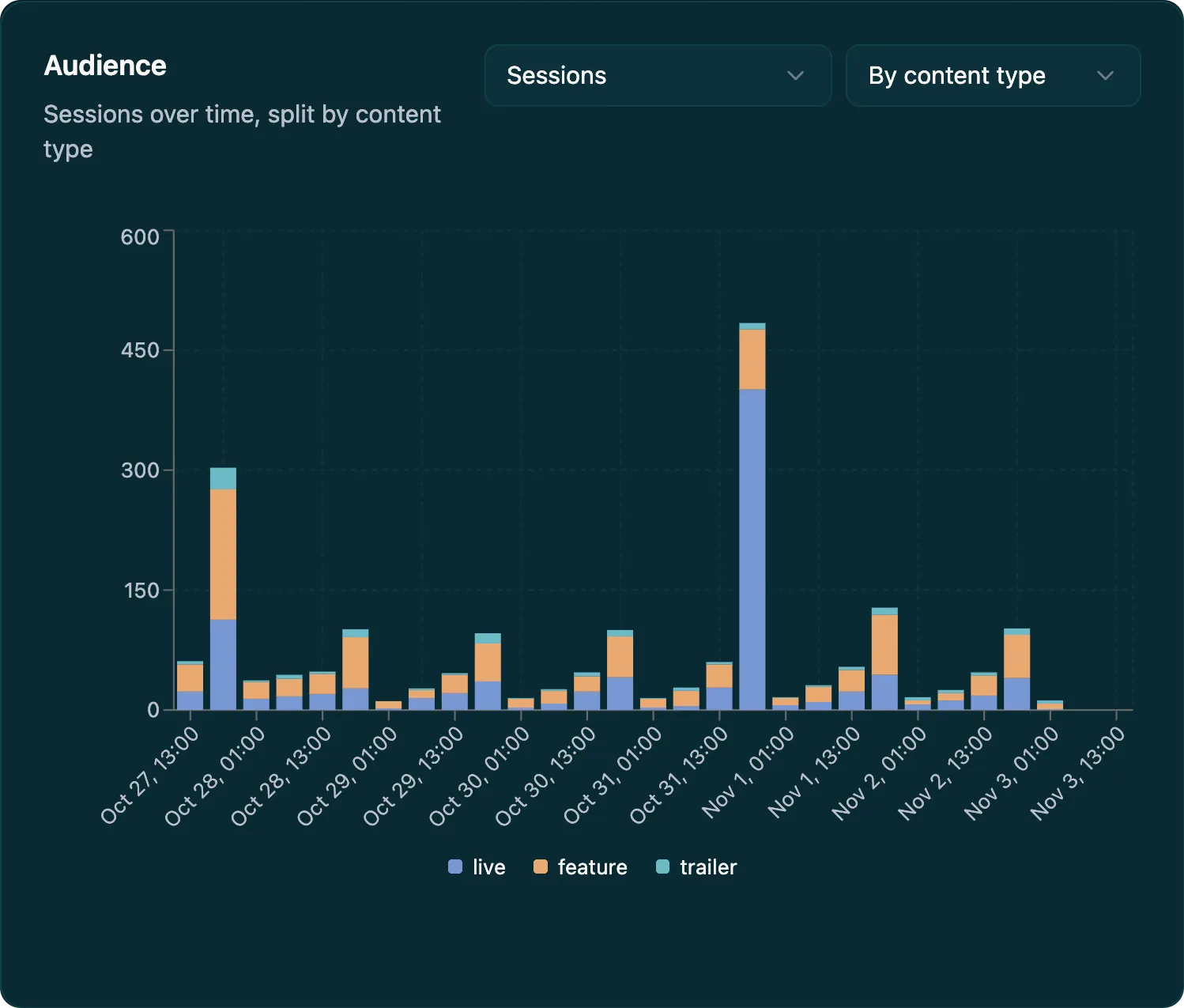
Every session the Player SDK reports appears in the Viewer Experience report in the Surfmeter Dashboard. The Audience chart shows sessions or unique viewers over time, split by content type, device, or network.
Explore the Surfmeter Dashboard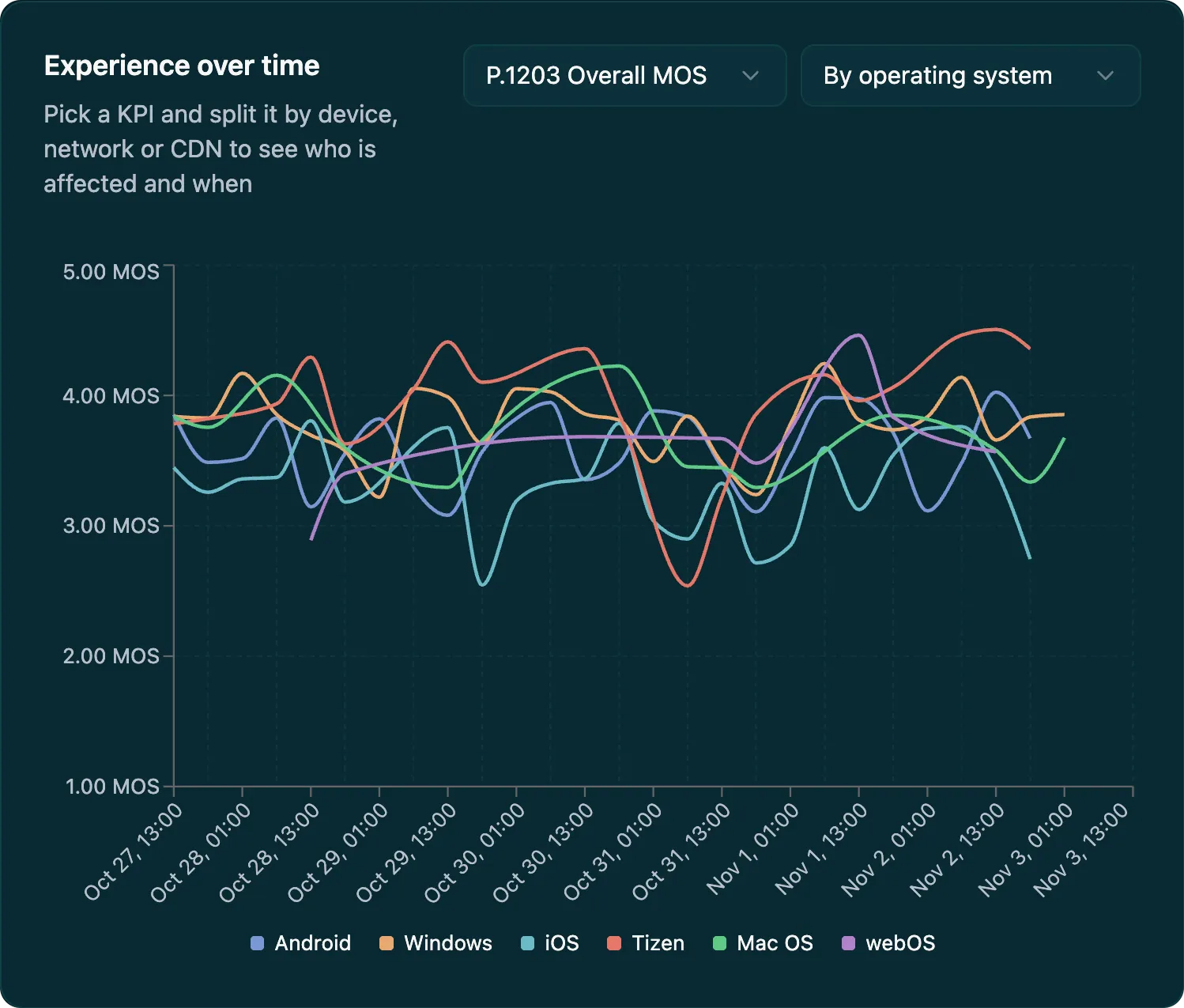
Pick a KPI such as P.1203 MOS, stalling ratio, or initial loading delay and split it by operating system, app version, ISP, CDN, or stream. The chart shows who is affected and when the problem started.
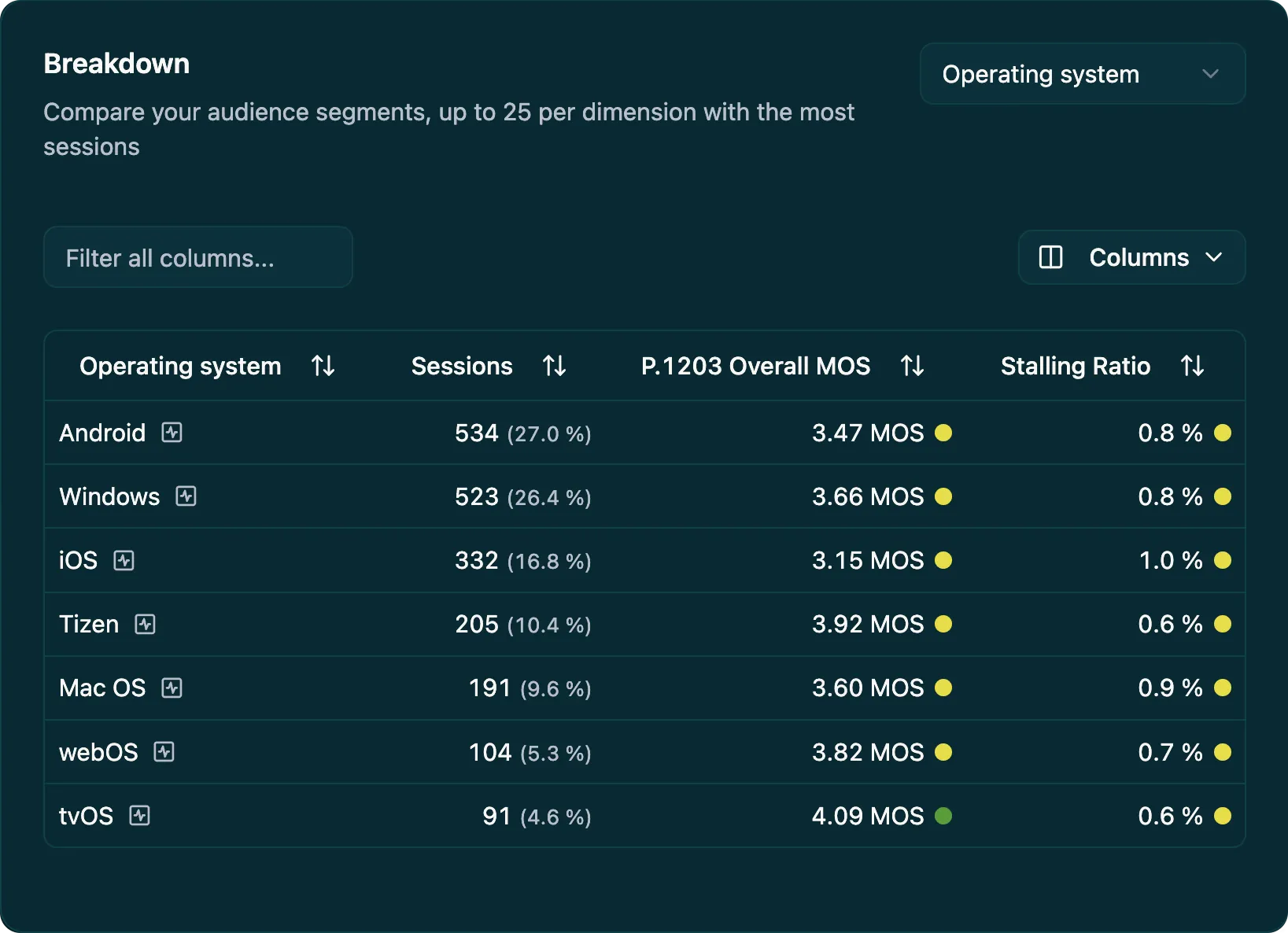
The Breakdown table compares up to 25 segments per dimension with the most sessions. Each row shows its share of sessions and color-graded KPIs, and one click opens the sessions behind it.
Proven in Practice


DNS:Net wanted to understand quality differences across their Android, iOS, and web player implementations, and discover users who were experiencing poor quality before they complained. With the Surfmeter Player SDK, they gained visibility into client-side quality metrics across all platforms.
Results


WDR, one of Germany’s largest public broadcasters, uses Surfmeter to monitor the delivery quality of their streaming services from the viewer’s perspective. Beyond continuous CDN performance monitoring, WDR uses Surfmeter to validate new player versions, compare stream configurations, and verify that encoding changes deliver the expected quality improvements before rolling them out to millions of viewers.
Results
“The Surfmeter app now enables us, for the first time, to record qualitative measurements that are comparable with the customer’s actual perception.”


Magenta Telekom needed a way to measure streaming quality exactly as customers perceive it. Together with T-Labs and AVEQ, they developed a Surfmeter-based mobile app that lets service technicians measure on-site streaming quality at customer premises, producing ITU-standardized MOS scores with geodata for network-wide quality mapping.
Results
Measurement points
The Player SDK measures viewing sessions in your web player and in your apps on phones, TVs, and streaming boxes. It sends every result to the dashboard.
Scroll sideways to see the whole network.
How It Works
The SDK is designed for minimal integration effort. Most setups require fewer than 10 lines of code.
Install via npm (web), Gradle/AAR (Android), or CocoaPods/XCFramework (iOS). Initialize with your API key.
Attach the SDK to your player instance. It automatically subscribes to playback events — no manual event forwarding needed for supported players.
The SDK passively captures loading delay, stalling events, bitrate switches, resolution changes, frame drops, and session metadata.
Session data and P.1203 MOS scores appear on the Surfmeter analytics platform. Filter by app version, device, ISP, geography, and more.
Use Cases
Get a personalized demo and see how Surfmeter fits your use case.
Data & KPIs
Learn how the Surfmeter Player SDK fits into your video stack. Get in touch for a demo or integration guide.
Thank you! We'll get back to you shortly.
Something went wrong. Please try again.