Bitstream Statistics
QP, frame types, frame sizes and motion per frame. See how the encoder spends its bits to optimize encodings.
Every layer of a video file, analyzed in one pass.
The tool for encoding and broadcast engineers. Get bitstream statistics, pixel metrics and quality scores for any video file, and compare encodes against their source.
Available for
Product Overview
Checking an encode usually means running several tools and merging their results by hand. The Media Toolkit does it in one pass and shows every result on one timeline, frame by frame. It builds on AVEQ’s video quality research and the most accurate video quality models, including standardized solutions.
Key Features
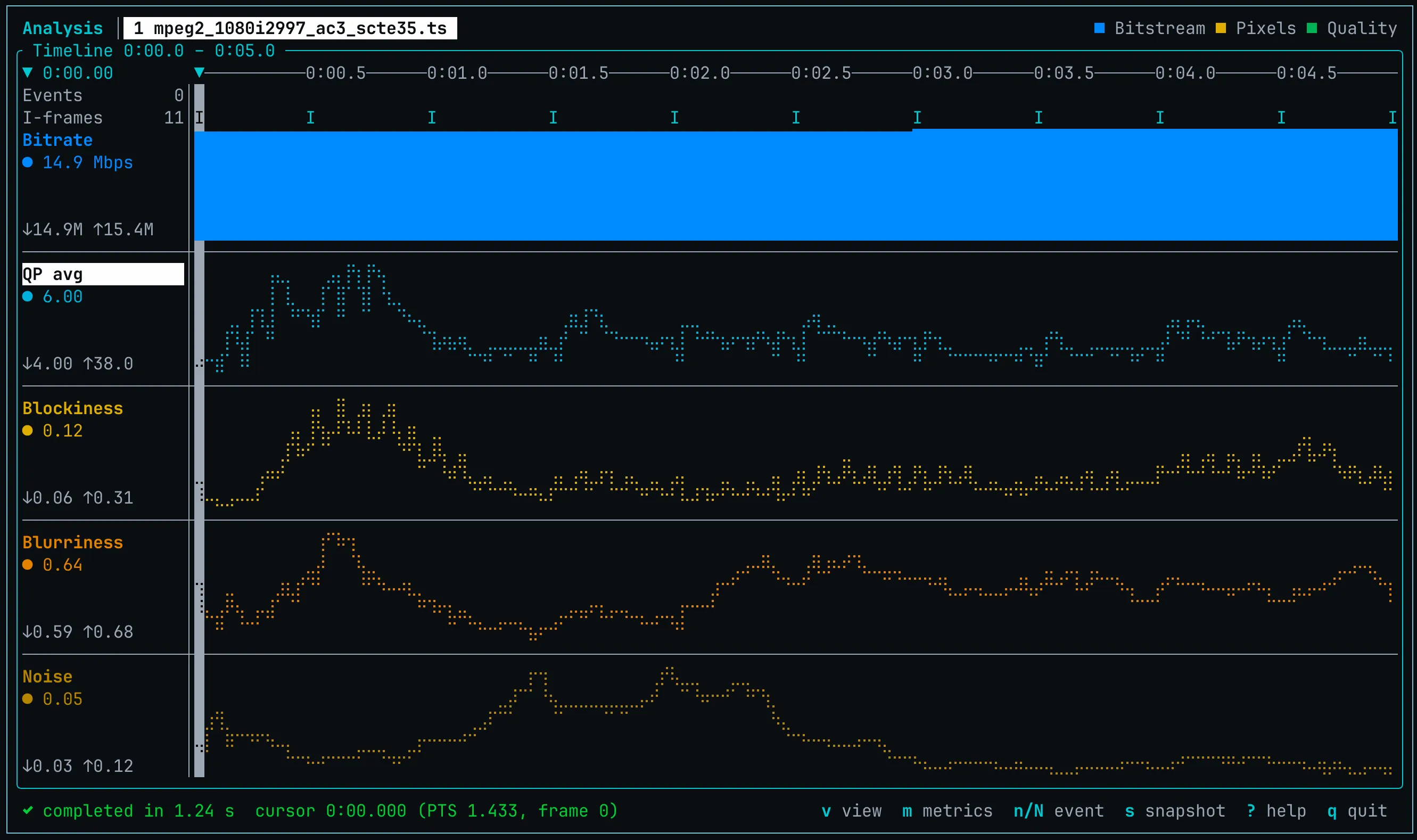
QP, frame types, frame sizes and motion per frame. See how the encoder spends its bits to optimize encodings.
The standardized quality model that can be as accurate as VMAF, per second and for the whole file. No reference needed.
Blockiness, blur, noise, freezes, black frames, jerkiness and more, without a reference.
VMAF, PSNR and SSIM against the source, with automatic frame alignment.
Browse results in the terminal, locally or over SSH, and view several runs side by side.
NDJSON, JSON and CSV output for your own scripts and pipelines.
QP, frame sizes and frame types, pixel metrics, VMAF, and the P.1204.3 score, aligned frame by frame. Zoom into a scene change or a quality drop and see what the encoder did at that moment.
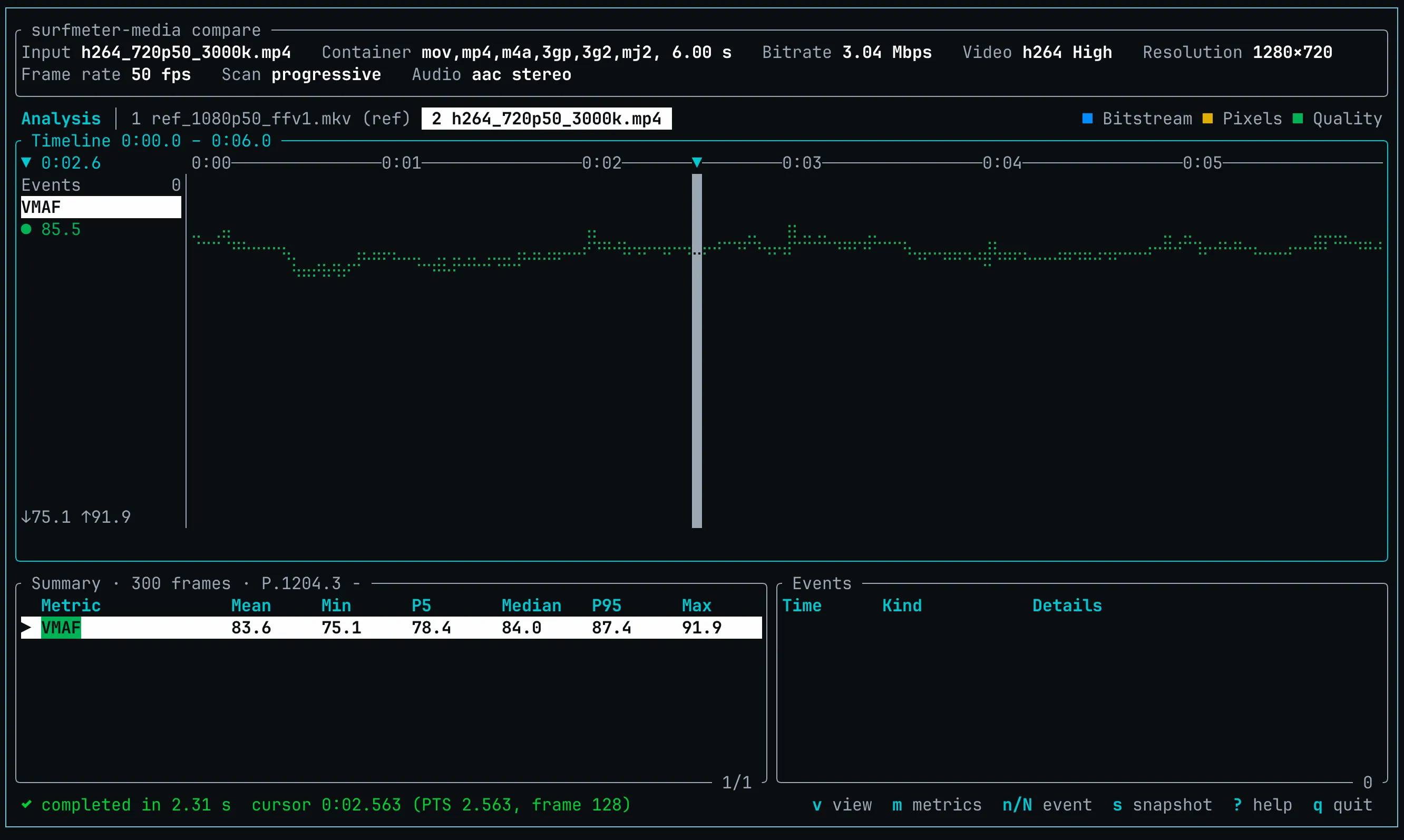
Pass a reference and any number of encodes. The toolkit finds any offset between them, computes VMAF, PSNR and SSIM per frame, and shows which encode loses quality where. Change to the per-file view for detailed metrics and deltas.
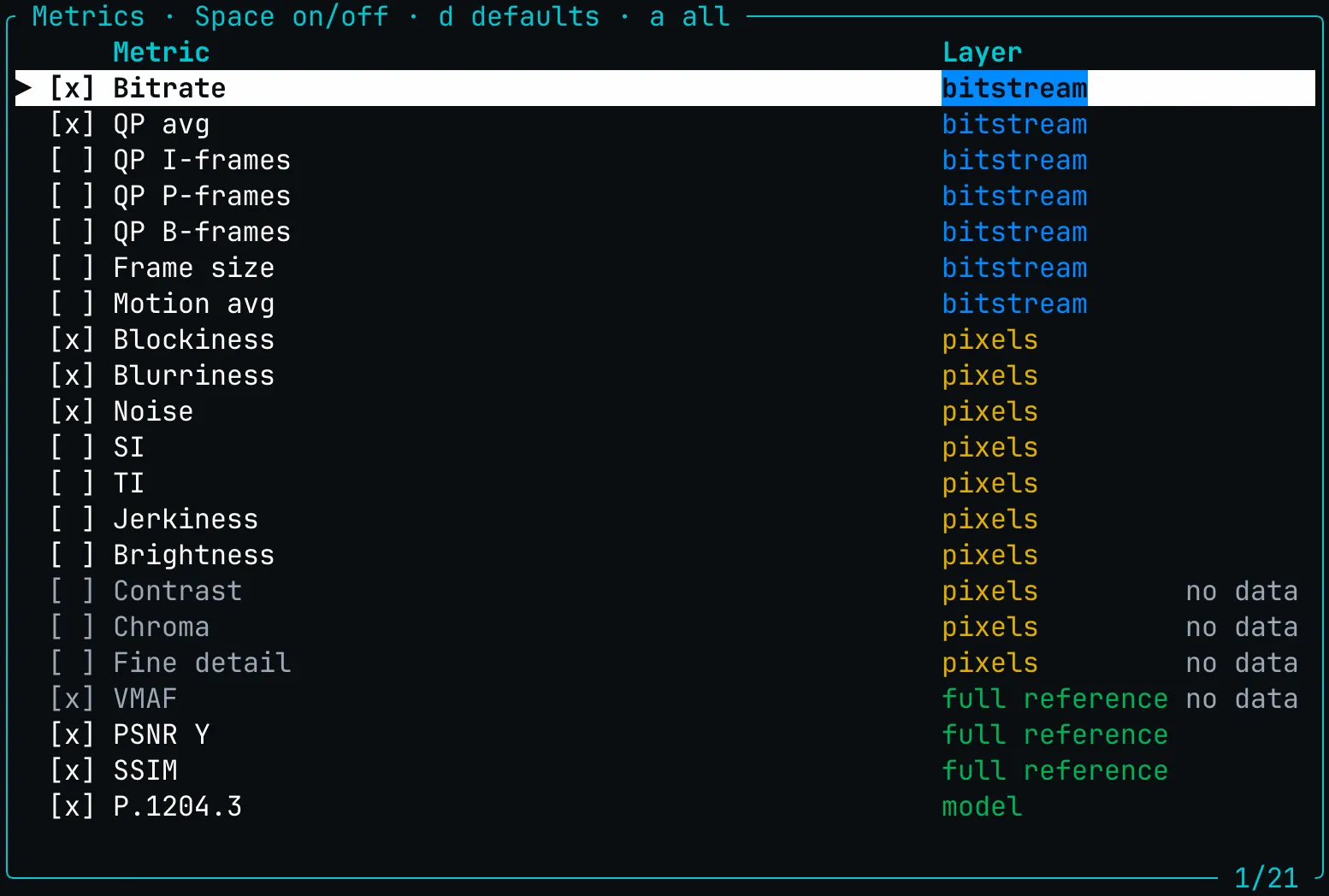
Find blockiness after a bitrate drop, freezes and black frames in a recording, or jerky motion after a frame rate conversion, without a reference. Pick the metrics you need from the bitstream, pixel and quality layers.
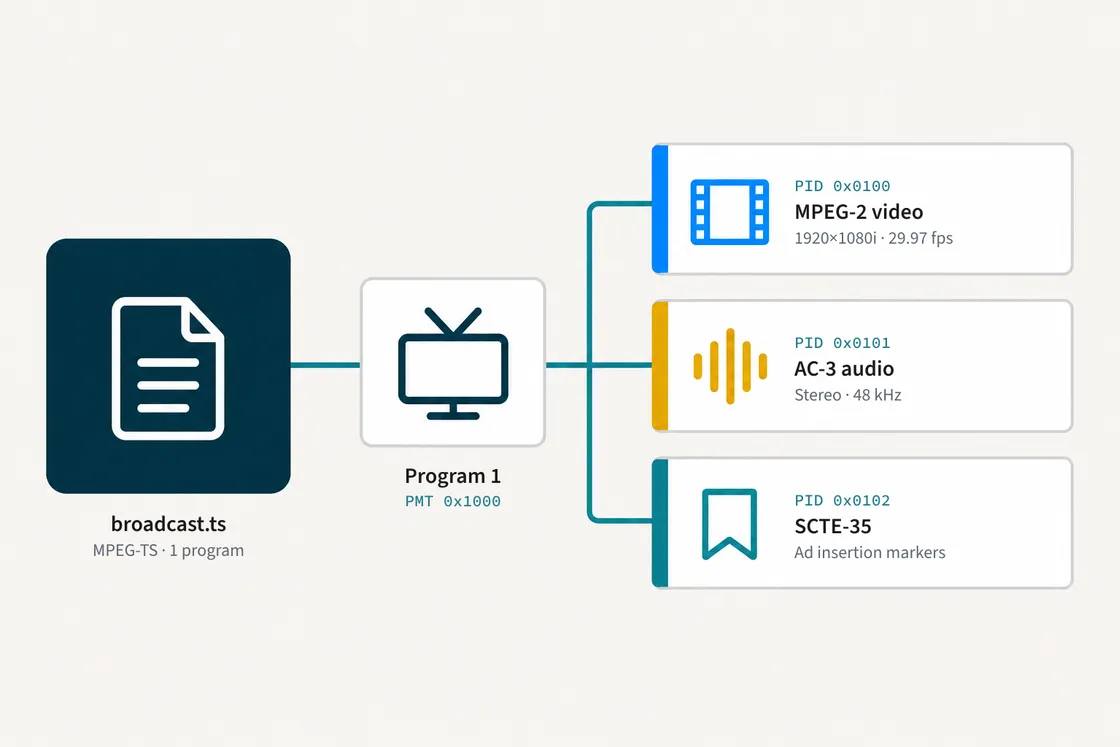
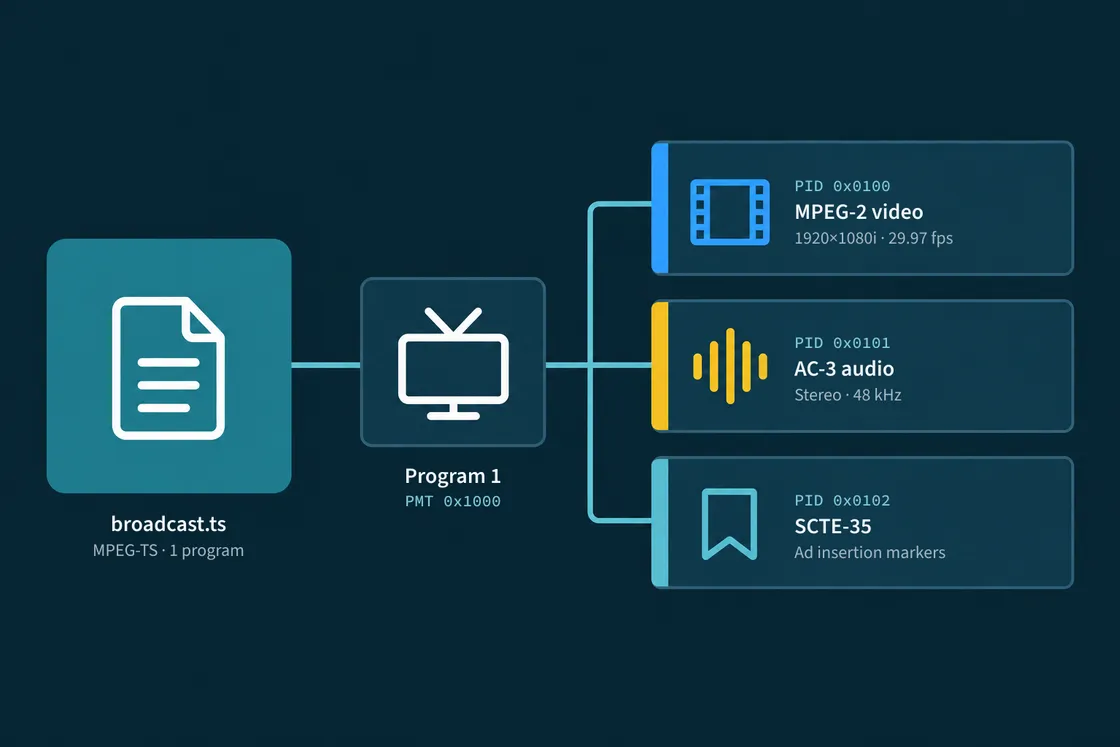
We output programs, PIDs and streams of MPEG-2 transport streams, including the PIDs with SCTE-35 markers, plus codecs, resolution, frame rate and duration of any stream.
Get a personalized demo and see how Surfmeter fits your use case.
How It Works
Available for Linux (x86_64 and arm64), macOS on Apple silicon, Windows 10 and 11 (x86_64), and as a Docker image. A graphical interface is on our roadmap.
Unpack the archive for Linux, macOS or Windows, or pull the Docker image.
Register once with your license key from AVEQ.
Analyze single files, or compare encodes against a reference. As many as you want.
Explore results in the terminal UI, or export them for your own tools as JSON/CSV.
Data & KPIs
Use Cases
Proven in Practice
Get a trial key, or tell us about your encoding workflow.
Thank you! We'll get back to you shortly.
Something went wrong. Please try again.