If you want to measure real-world streaming Quality of Experience (QoE) from the user’s perspective, the ideal place to run tests is right at the network edge: on the user’s device. But we don’t always have that luxury. It would require a crowdsourcing approach, or a user placing a Surfmeter probe inside their home environment. Our vision has always been to run on Customer Premises Equipment (CPE) like broadband routers, or Wi-Fi gateways. Similarly, if you want to measure remote environments like cruise ships or airplanes, you’d ideally measure from where the connection is terminated.
There is just one problem: embedded hardware and video playback don’t work well together.
I mean, when’s the last time you checked your Chrome memory usage when you played a YouTube video? (Hint: check it now! It could be a Gigabyte or more…)
A typical home gateway running OpenWrt, prplOS, or RDK might have a small dual-core processor and only 128 MB to 256 MB of total RAM available. Most of that memory is already allocated to important services. If you try to start a conventional automated browser stack on such a router, you will run into out of memory issues quickly. Probably before Chrome even got to parse its CLI arguments. Even simple web browsing consumes as much as 300 MB to 600 MB of RAM — let alone rendering everything on X11. Once you start decoding video, you end up with 4K H.264/HEVC frames shoveled to /dev/null.
So we asked ourselves: what is the absolute minimum you actually need to measure streaming QoE accurately?
The answer turned into our Lightweight Video Player — or LVP for short — our headless, zero-decode HLS and DASH measurement client.
Zero Decoding, 100% Real Transport & ABR
Now, our core principle is that we want to measure the real stuff. We do not make assumptions. We do not just sample a few HTTP requests and call that QoE. That’s not what our mission is.
You see, video streaming is complicated. The rules that dictate what end users will actually get delivered depend on the adaptive bitrate algorithms (ABR) baked into the various players out there. The streaming technology — whether it’s HTTP Live Streaming (HLS) or MPEG-DASH — further dictates the type of network requests made by the players, how often video manifests get reloaded, and so on. It is vital to replicate this, exactly, to really understand how a current network condition translates into what a user sees on the screen.
Luckily, when computing our standardized video QoE — using ITU-T Rec. P.1203 — the model does not care about the actual contents of the pixels. The Mode 0 model, for which we are using the P.1204.1 standard, instead looks at codec, resolution, bitrate, and framerate. And it is still extremely accurate at outputting a final Mean Opinion Score (which tells you what the user would have rated… except you didn’t have to ask anyone).
Think about what network operators do care about, that is:
- Real HTTP transport: Exact DNS lookup times, TCP connection handshakes, TLS negotiation overhead, connection reuse (keep-alive), HTTP Time-To-First-Byte (TTFB), and segment download throughput under real network conditions.
- Faithful Adaptive Bitrate (ABR) decisions: An ABR engine that does what real-world web players do, including bandwidth estimators, throughput filtering, and buffer-occupancy-based ladder switching rules.
- Deterministic playback & buffer simulation: Virtual playhead advancement, realistic startup buffering delays, buffer replenishment, and exact stall/rebuffering timestamps. No discrete-time simulation, but actual playback.
- Accurate media data: Resolution, frame rate, bitrate, and codec — without guessing.
Decoding and rendering are therefore just nice-to-have, but not essential. By discarding audio and video decoding and replacing it with lightweight inspection and a virtual buffer clocks, we could eliminate 95% of the memory footprint and 99% of the CPU overhead.
Under the Hood: How It Works
Instead of spinning up FFmpeg or a software decoder to find out whether a stream is 1080p at 30 fps or 720p at 60 fps, our engine inspects only the container headers. We can parse fragmented MP4 (fMP4), or MPEG-TS, depending on what the streams are serving. This gives us codecs, pixel dimensions, frame rates, and sample counts in microseconds.
A streaming test client is only as good as its validity with respect to what actual players would do. No toy algorithms, but faithful ports of the rules that are in use by the most popular video players today. So we can simulate what an app with the same player would do. Without the app, of course.
We verified our implementation against the upstream references, to ensure that under the same network conditions, our engine selects the exact same video representations.
Request scheduling mirrors each reference player, as they are a bit different. For example, the default hls.js loads the next fragments already when the buffer falls below 30 seconds by default. dash.js profile checks the current buffer plus the duration of the next segment against its default 18-second target. We are adding options to modify this behavior, as you would do with the upstream players.
We further benchmarked the release builds under strict resource limits. Here is how it performs:
| Metric | Target Budget | Actual Measurement |
|---|---|---|
Binary Size (x86_64 musl) | < 8 MiB | 3.36 MiB |
Binary Size (aarch64 musl) | < 8 MiB | 2.66 MiB |
Binary Size (armv7 musl) | < 8 MiB | 2.61 MiB |
| Peak RSS Memory (30s session) | < 32 MiB | 20.8 – 24.5 MiB |
Cold Startup Time (--version) | < 50 ms | 5.9 ms |
| Runtime Dependencies | None | Zero (pure static musl) |
Because we cross-compile the software using static linking, you can drop it onto a minimal OpenWrt gateway, an embedded box, or an Alpine Linux container.
A TUI Dashboard, Just for Fun
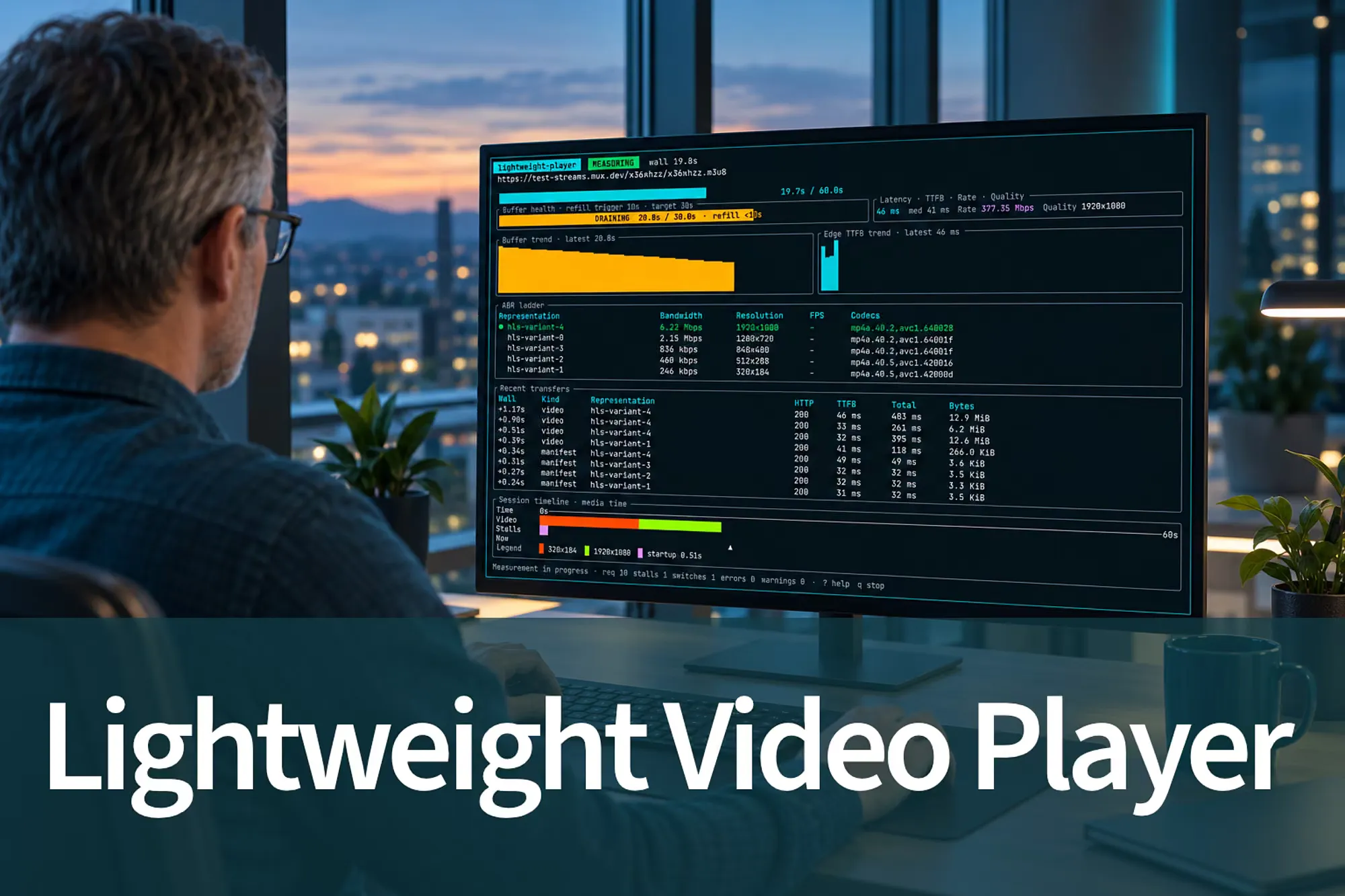
Our Lightweight Video Player is built for automated runs inside Surfmeter Automator. It outputs structured JSON, as a well-behaved tool should. But we couldn’t resist giving it a proper nerdy terminal user interface for interactive debugging. So, the --tui mode gives you a live look.
The dashboard displays, amongst others:
- Buffer Health & Request Indicator: The current buffer against the active profile’s target and whether another segment request is due.
- Live Edge TTFB & Throughput: Displays media-request TTFB and instantaneous throughput.
- ABR Ladder: Shows you the available bitrates, resolutions, frame rates, and codecs.
- Recent Transfers Log: Request telemetry showing wall offset, HTTP status code (200 OK), TTFB, total transfer time, and payload bytes for both manifests and media segments.
- Session Timeline: Color-coded playback history with stalling and renditions color-coded.
 Our lightweight measurement player running in interactive TUI mode.
Of course, the same information is available in our Surfmeter Dashboard proper.
Why This Matters for Network Probing
Don’t get me wrong: our Surfmeter Automator is here to stay, and to measure YouTube (and Netflix, and Amazon Prime, and all the other real OTT services) we still need a proper browser. Because there’s so more variation between the over-the-top streaming services that a network operator should be measuring. But still, our Lightweight Video Player fills the missing gap between:
- Layer 3/4 network metrics (ping, iperf, speed tests): Fast and lightweight enough for routers, but completely blind to video buffering dynamics, ABR ladder switching, and user-perceived QoE.
- Browser automation (Chromium etc.): Realistic QoE, but requires a real VM, or dedicated probes.
With our LVP, you get the fidelity of real-world ABR streaming with the resource footprint of a lightweight CLI utility.
If you’re looking to embed standardized video QoE testing directly into your router fleet, edge probes, or automated CI/CD pipelines, reach out to our team — we’d love to chat.
Next Steps
Measure Streaming QoE on Your CPE
Run real player measurements on routers and probes with a small footprint: